
Ceramic 3D Print

Concept Sketch:
Trying to combine our (Adam, Siwon, and Erica's) original object and our new group members (Amanda and Ri's) design, was quite confusing at first. We realized that Amanda and Ri's design doesn't work with the ceramic 3-D print as the base of the design, along with how their design all meet together at a very sharp point. With our design, the rings hanging off the design wouldn't work with the clay either. We all liked the way Adam and Siwon's design faded together really well, so each of us sketched out one design where it blended both objects together in different ways. We ended up having similar ideas of adding the egg-shaped at the bottom and keeping the fade between Adam and Siwon's design.
          

Rhino 6 files:
Merging similar parts of sketches, we decided to create it in Rhino to visually see if our post In some of the screenshots, in the background are the trial and errors of the design. We had to rebuild our initial designs as separate parts before putting them together as one big design. Initially, we place together Siwon's diamond-cut design, and Amanda and Ri's egg design together. We decided to try and include the rings from our original design to give it more structure after our first attempt. Thinking logically, we had to include the rings in a way that would hold up with a ceramic printer, so we decided to cut the rings in half and stack them together. 


Slic3r file:
We decided to cut a bit of the bottom from the lower layer of the ring, and stretch the design vertically by 125% so that the rings would stack nicely and won't collapse during the 3D print. We had to go back into MeshMixer to smooth our parts of the rings. This is the final digital design before we print.
Ceramic Print:
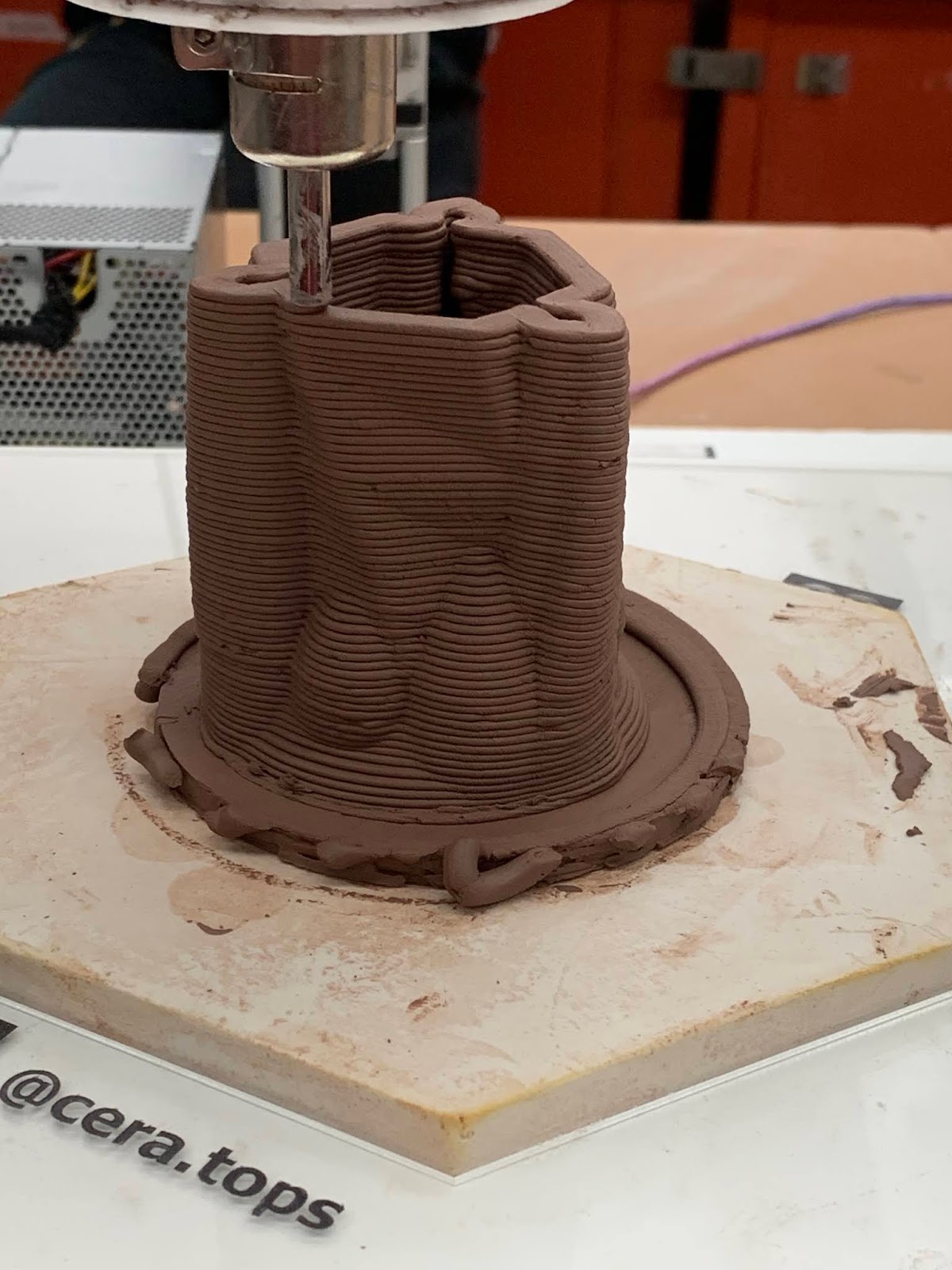
This is how our object came out. The first version of our print didn't fully work, it ended up "crashing" mid-print so we had to restart. Throughout the printing process, the clay kept caving in near the bottom where the egg-shaped parts were so we had to add a fan to harden the print without it collapsing. Near the end, the print started printing the object really oddly, because it printed Siwon's diamond cut base then connecting Adam's piece separately. But in the end, the print turned out pretty well the diamond-cut parts really showed up in the end, more than I expected. Can't wait to see the ceramic print after it's glazed and fired!



Comments

Popular posts from this blog

4. Parametric Structure Scale Model (Digital) (ii)

Title: Lap Wave Desk Inspiration: Ocean/Wave glass sculptures and The Great Wave off Kanagawa print by Hokusai Difference from typical furniture: A typical lap desk is formal looking, just metal and a plain one colour platform. I wanted something that's less traditional and more sculpture base, one that looks like an art piece and might benefit some users with the wave patterns as holders.  Function: It's a lap desk! Those computer desks are portable and you can put them on your lap to hold your laptop on. Others might use it as a standing desk by putting it on top of a regular table Intended Location: Homes and maybe a less traditional office Intended Audience: Students, office workers, people who need to do work standing or work portable Here are the renders for my lap desk, I made two versions of it. One in an Oak material, one in transparent plastic with a slight blue colour just to make sure it would appear in the render. I made the decision of the transparent one bec...

Quick 3D printing tutorial

  Hey everyone who's reading my blog, here's a quick tutorial for people who just need a refresh of how to 3D print. But for sure make an appointment with technician if you need a full tutorial.  RHINO STEPS: 1) Select your objects that you want to 3D print, go file > export selected 2) Make sure your object is exported as an STL, Binary option!!! 3) A slider window should show up, adjust accordingly: more polygons means higher res of your object, which is great if you're printing something detailed or small, less polygon is good for faster printing. PRUSA SLICER: **Link from Object.digital, download for whatever you need for your comp https://github.com/prusa3d/PrusaSlicer/releases 1) When opening this, select Prusa i3 MK2.5 printer with a nozzle diameter size of 0.4mm. THIS IS IMPORTANT TO CHANGE!!! 2) After you've chosen these selections, save the printer info and a diff window with the plater header should show up. Click the cube with a plus sign 3) Import your S...

Reverse Engg Object: Process II

  After many struggles, I've finally begun doing the 3D version. I was stuck on creating the curved in the area for the scissors where the blade began to slant down. However, once I finished the more tricky side of the scissors (took a solid 4.5 hours), I created the second side in half the time! I tried rendering the separate blades and handles with metal and plastic for the materials. And it finally began looking like the pair of scissors I was trying to recreate!     All I'm missing now is creating the screw that holds the two sides together, though I realized this week that I couldn't' exactly take out the screw. So I have to figure out an alternative way to view it, and calculate it!